













Follow these steps to connect your SHOPLINE store to Chargeblast
- Navigate to the SHOPLINE Integrations tab on Chargeblast here
- Enter your Store Handle, Label, and Access Token
- Click Save Changes, then click Activate
Getting your Access Token:
- Log in to the SHOPLINE Admin
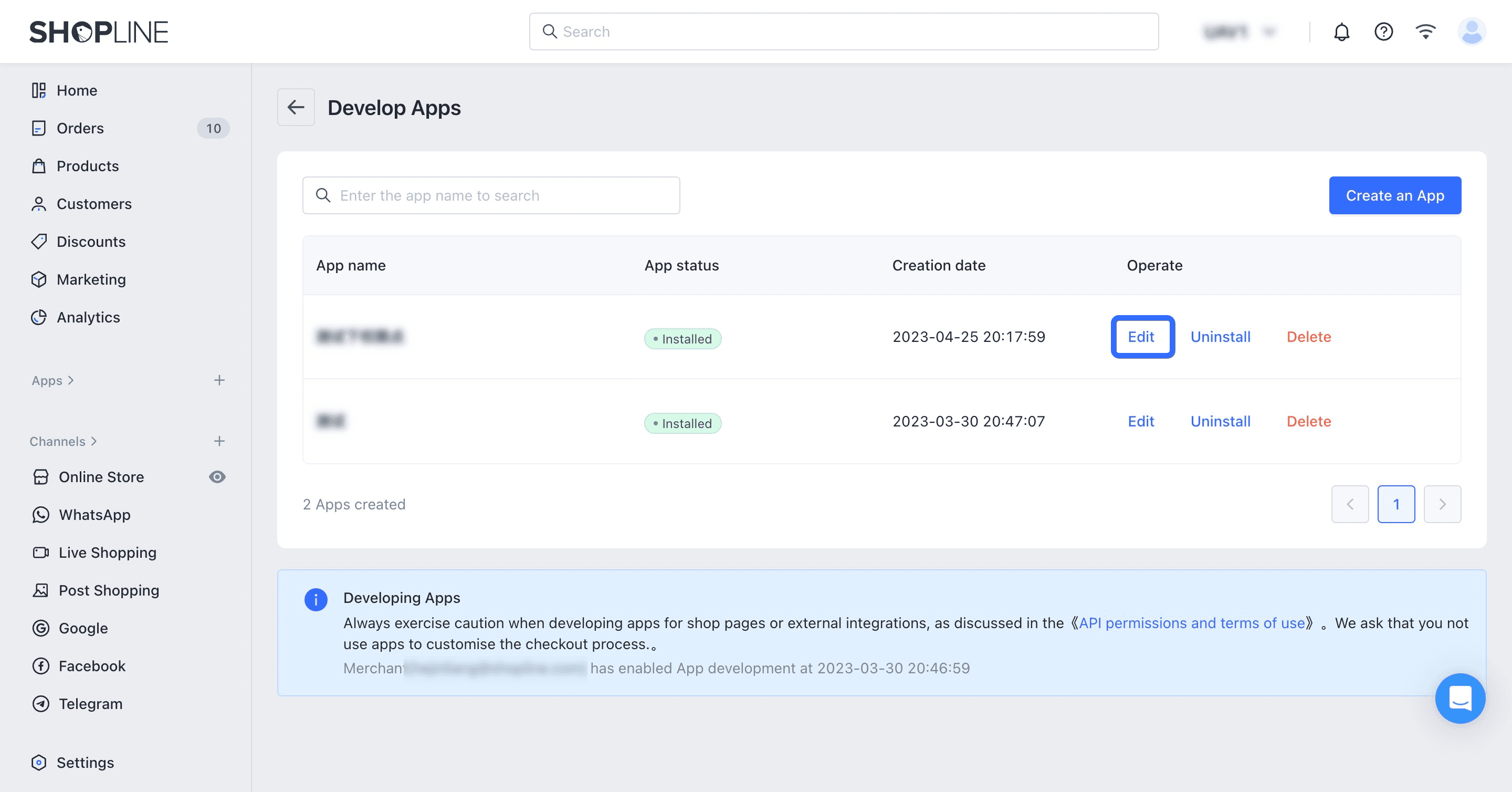
- Navigate Apps in the left menu, then click Develop Apps in the upper right corner
- If this is your first time, tick the box to agree to the API permissions and terms, then click Enable development
- Click Create an App and Enter the following:
- App name (e.g. “Chargeblast”)
- Developer name
- Contact Email
- Click Edit on the app, open the Permission configuration tab
- Select Configuration next to Integrate Admin API
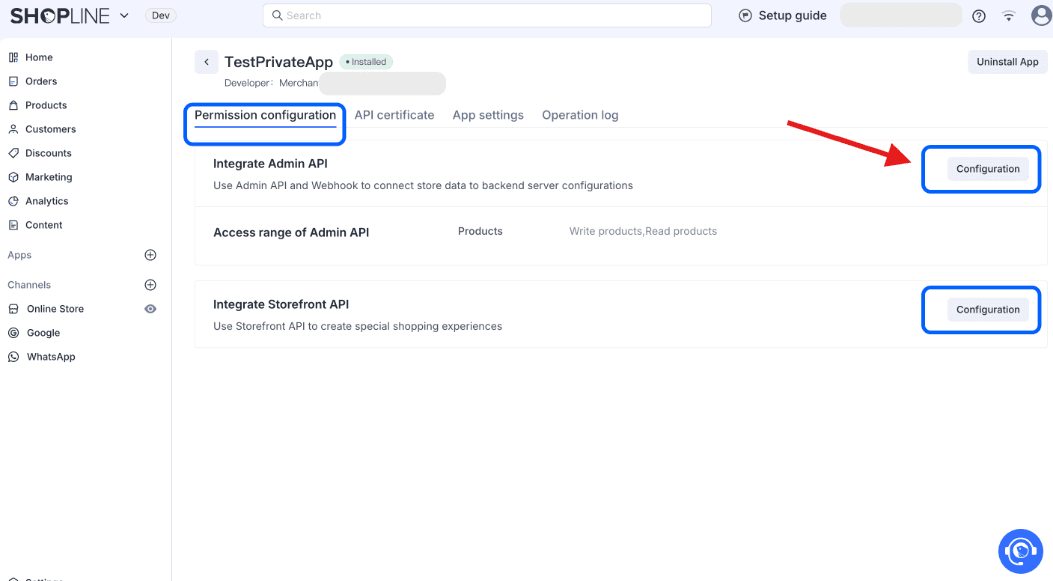
- Enable Read and Write access for Orders, then click Save
- Go to the API certificate tab, find Access token, and click Install App
- Select Admin API access token. SHOPLINE will send a verification code to your login email. Enter the code to unlock the token
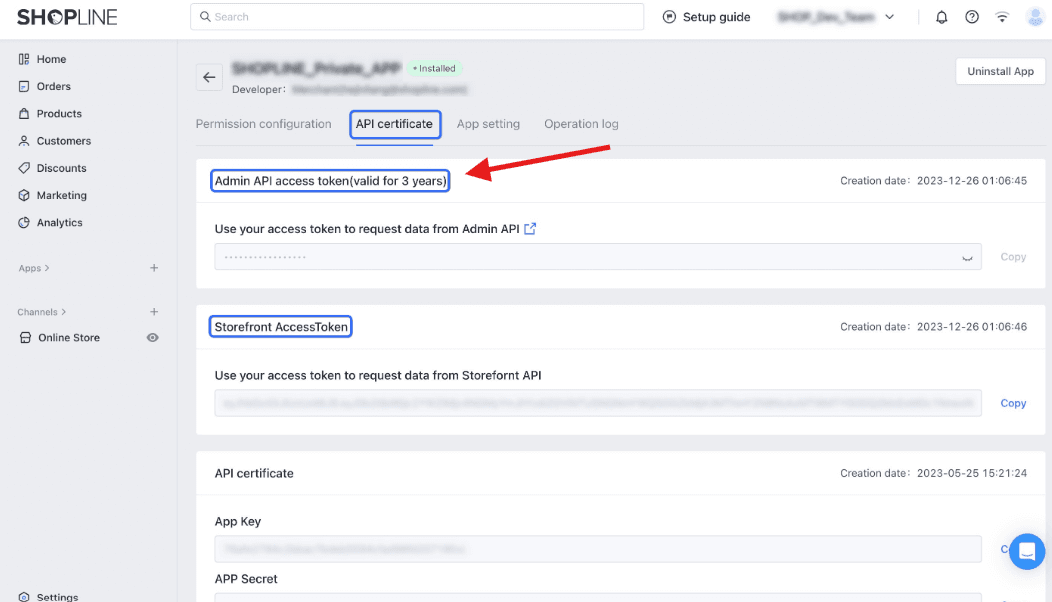
- Copy the Access Token and paste it into the Access Token field in Chargeblast
Tags
shoplineintegration
Was this article helpful?
Help us improve our documentation